Time and invoices
Time spent is noted as you work, and becomes invoices for the projects you do for clients.
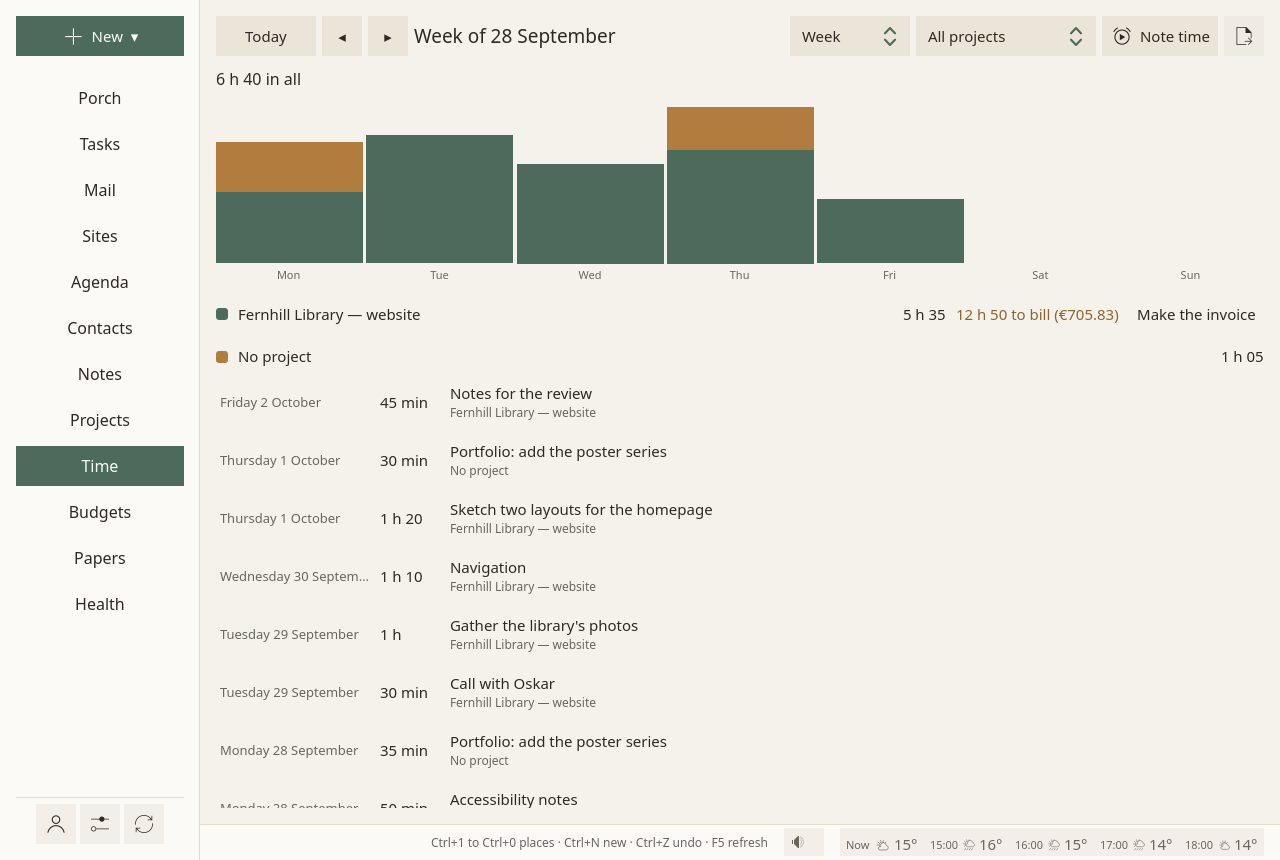
The Time page
Week, Month or Year, for All projects or one; Today and the arrows ◂ ▸ move through time:
- a bar per day (per month, over a year), stacked by project;
- each project's hours, and what is left to bill, in hours and in money at its rate;
- then each stretch of time, newest first.
Where time comes from
- The focus timer: the minutes of a focus session count for its task, and for the task's project.
- Note time, on this page, on a project's page, or with New ▾ ▸ Time spent: a meeting, a call, work done away from the timer. For (a project, or a task), How long (
1h30,45m,90), When, What it was, and Not to bill when it should not be.
A right click on time noted by hand: Change this time, or Take this time out. Time already on an invoice stays as it was billed.
Billed or not
Work for a client is billed. A task can say otherwise, under Billed in its panel: As its project says, Its time is billed, or Not billed.
A spreadsheet of billable time
The export button, at the top right of the Time page: Billable time, as a spreadsheet (CSV)…, for one project, and a stretch of time (this week, last week, this month, last month, all time, or from one day to another). One line per task, with its hours, the hourly rate and the amount, then the total. In French, the file uses ; and a decimal comma, as French spreadsheets read them.
Invoices
On a project's page, or beside the project on the Time page, Make the invoice when billable time waits.
- Numbers follow each other within a year and are never reused: 2026-001, 2026-002, or your own prefix.
- Lines: one per task (or per note of time noted without a task), its hours at the project's rate.
- Billed once: the time an invoice bills carries its number; the next invoice leaves it out.
- The mentions French law asks for: your name, address and SIRET, the VAT line ("TVA non applicable, art. 293 B du CGI" for a micro-entrepreneur), payment details, late-payment penalties and the €40 recovery fee.
- The PDF (A4) goes to
Documents/Invoicesin your home folder, or the folder you chose. Print again writes it anew. - Your budget: the total is expected in the project's budget, due thirty days later. Paid dates it today, and the money counts.
Your name, address, numbers, currency, payment details and hourly rate are set once, in Settings ▸ Invoices.
On several computers
An invoice number must never be given twice. When you share between your computers, one computer numbers the invoices: another says "Invoices are numbered on …", and Make invoices on this computer takes them over, after a minute and a half, once your other computers know. If your sharing folder cannot be written, or another computer has not been heard from for a few minutes, Sioul waits rather than risk a number twice.
In quiet time
Outside working hours, the Time page waits behind Show anyway. See Hours.