Agenda
The agenda shows what comes, from today, as a calm list of days. Nothing is late or overdue: the past shows only when you go back to it.
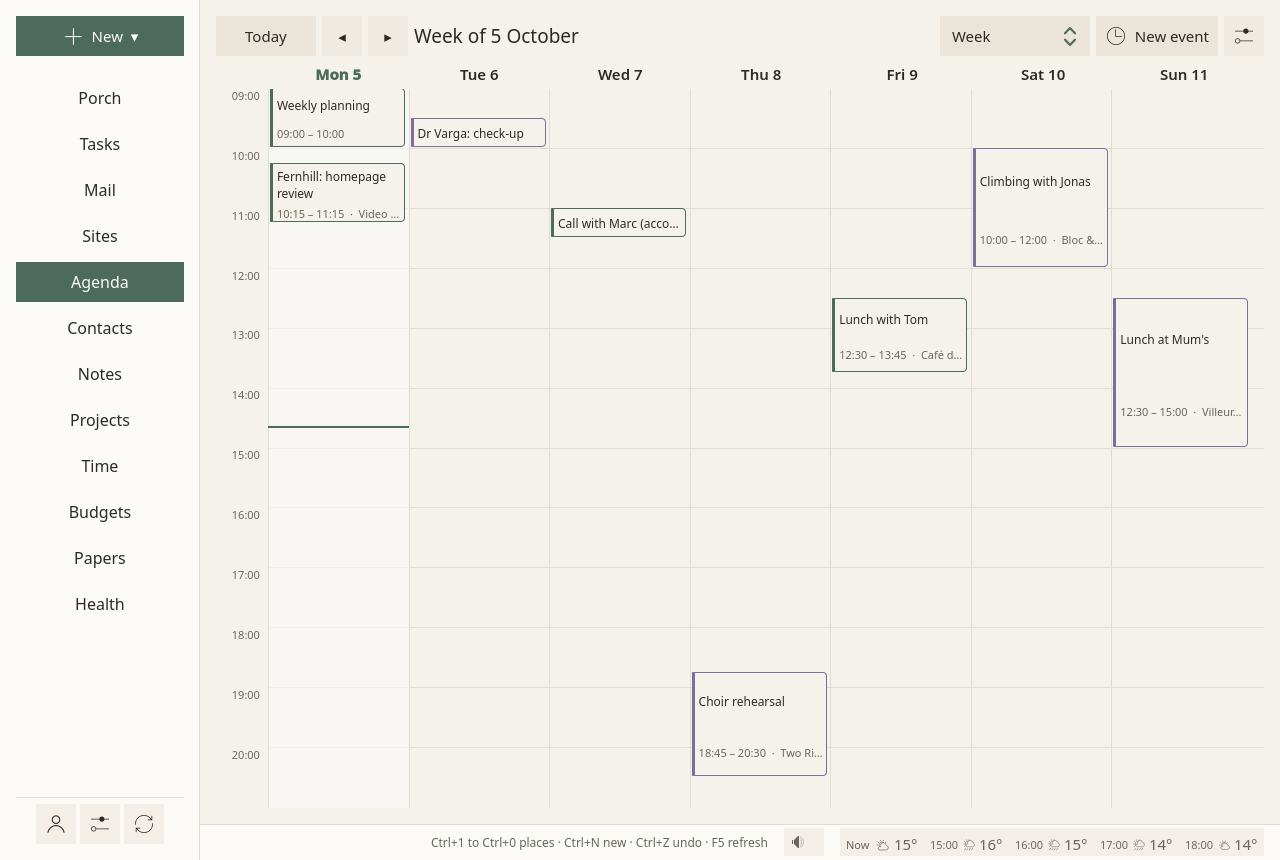
Four ways to look
A choice at the top of the page:
- What comes: today, then the next two weeks, as a list. This is where the page opens.
- Day, Week, Month.
The arrows ◂ and ▸ go earlier and later; Today comes back to today.
Events
New event, at the top of the page (or New ▾ ▸ An event): a title, when it starts and ends, where. All day is one tick. Repeats: every day, week, month or year. Calendar: which one it goes in, when you have several.
An event opens on the right with its time and place. Its notes, how it repeats, its guests and its calendar are folded under More.
- To change it: Change the event.
- To delete it: Delete. It waits ten seconds, with Undo. A repeating event asks first: Only this time, or Every time.
An event can also be made from a message, from a task, or from a paper letter's appointment, and stays tied to it. From an event, you can make a note (dated, with its guests listed, and Send to the guests once written) or a task to prepare it.
Invitations
An invitation that comes by mail shows in the message: Accept, Maybe, Decline. The event goes into your calendar, and your answer goes to the organiser. See Mail.
Reminders
One quiet reminder, half an hour before work ends, on the last working day before an event: "Mon 12 Oct 09:00 · Town hall", and where. The alarms an event carries (set by you, your phone, or whoever invited you) come at their time too. No sound, never repeated. See Settings.
The Agenda settings
The ⚙ at the top of the page:
- Calendars: renamed here and on the server at the next sync. An empty calendar can be deleted; one holding events stays.
- The day starts at: the hour the day and week views open on.
Where events live
On your calendar server, as standard CalDAV events: your phone and other programs see them. Times keep their time zone and show in yours. Editing in Sioul changes only what you changed: a guest list, an alarm or another program's fields come back as they were.
Google calendars are made, renamed and deleted on Google's own pages; Sioul greys those settings, and says why.
How far back mail and the agenda reach is set at the top of Accounts.
Not there yet
Moving an event to another calendar, changing one occurrence of a repeating event, and choosing a calendar's colour here are planned.